How to Check Plagiarism in Assignments for Free (2026 Guide)
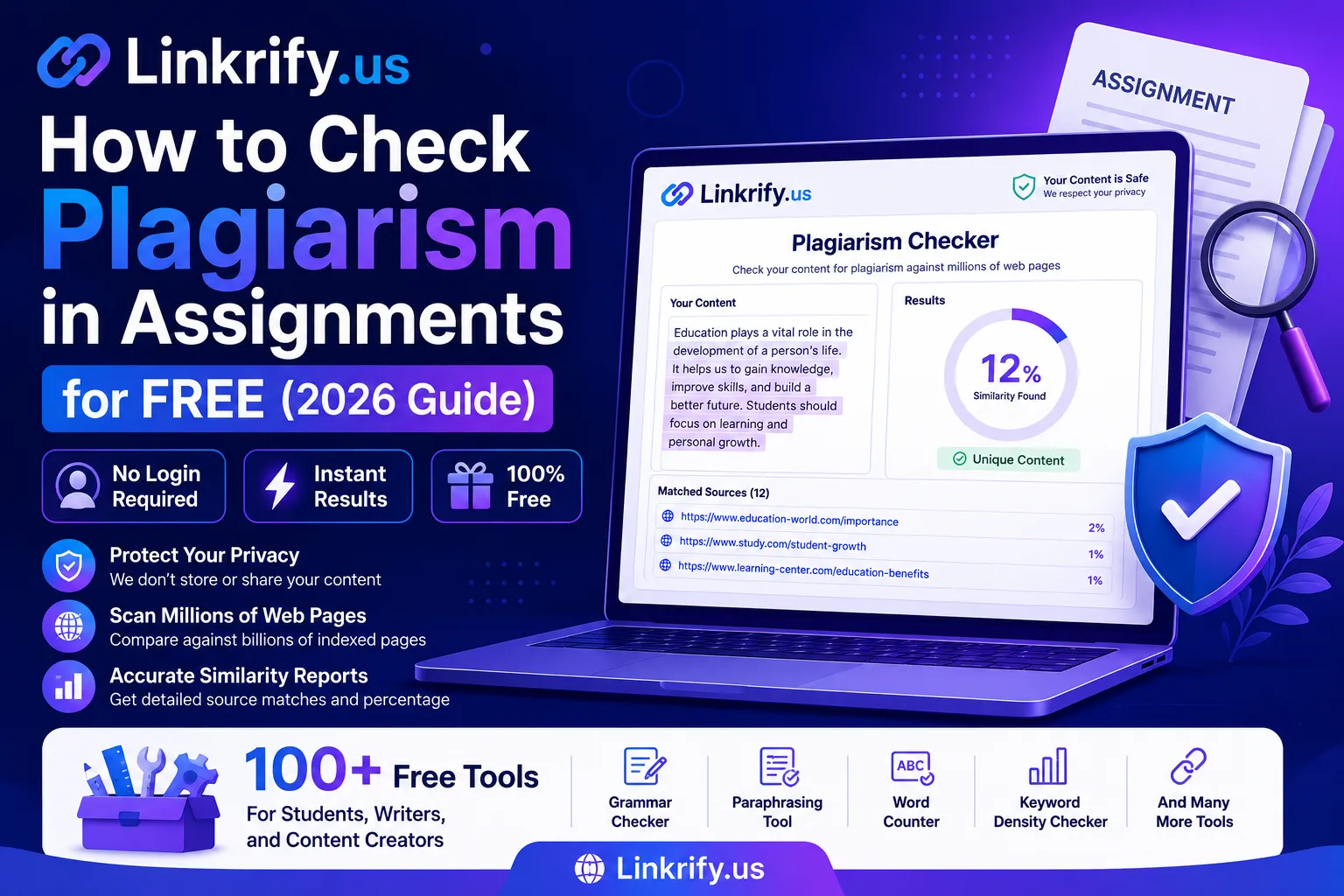
To check plagiarism in assignments for free, paste your text into a browser-based plagiarism checker like the one at Linkrify.us, click scan, and review the similarity report no login, no payment, and no word-count tricks required. The entire process takes under 60 seconds.
Submitting an assignment with accidental plagiarism is one of the most preventable academic mistakes a student can make. This guide walks you through the exact process step by step using free tools available right now in 2026.
What Does It Mean to Check Plagiarism in Assignments?
Checking plagiarism in assignments means running your written text through a comparison engine that scans it against millions of indexed web pages, published articles, and academic sources to identify sentences, phrases, or ideas that match existing content then returns a similarity percentage with highlighted matches.
A 0% similarity score means your content is fully original. A score above 15–20% typically signals sections that need rewriting or proper citation. Most universities set an acceptable similarity threshold between 10% and 20% depending on the subject and assignment type.
Is all similarity flagged as plagiarism?
No properly cited quotes, common phrases, and properly attributed references will appear as matches but are not considered plagiarism. The checker highlights them; your judgment determines whether each match is intentional citation or accidental copying.
How to Check Plagiarism in Your Assignment Step by Step
Checking plagiarism in an assignment for free takes five steps: open a free plagiarism checker, paste your text, run the scan, review highlighted matches, and rewrite any flagged content before submission.
Here is the full process:
Step 1 Open Linkrify.us free plagiarism checker
Go to linkrify.us and navigate to the plagiarism checker tool. No account creation required. The tool runs entirely in your browser.
Step 2 Paste your assignment text
Copy your essay or assignment section and paste it into the input field. For best results, check in 500–1,000 word sections rather than pasting a 5,000-word paper all at once. Shorter scans return faster and more precise match locations.
Step 3 Click scan and wait
Hit the check button. The tool compares your text against its indexed web database and returns results in 15–30 seconds. You will see a similarity percentage and highlighted sentences that match external sources.
Step 4 Review every highlighted match
Not every match is a problem. If a highlighted sentence is a properly cited quote with quotation marks and attribution, it is fine. Flag only matches that are paraphrased without citation or copied without acknowledgement.
Step 5 Rewrite flagged content
Use Linkrify.us free paraphrasing tool available in the same platform to rephrase problematic sections. Then re-scan the rewritten version to confirm the similarity score drops before submission.
Does breaking text into smaller sections affect accuracy?
No smaller sections actually improve accuracy because the scanner focuses on tighter phrase-level matching rather than processing large blocks where context can get diluted.
Which Free Plagiarism Checker Works Best for Assignments?
The best free plagiarism checker for assignments in 2026 is one that requires no login, imposes no aggressive word limits, processes content in-browser for privacy, and highlights specific matching sentences not just a percentage number.
Linkrify.us meets all four criteria and bundles the plagiarism checker with a grammar checker, paraphrasing tool, and word counter — so you can fix flagged issues without opening a second tool.
| Checker | No Login | In-Browser | Highlights Matches | Also Has Grammar Fix |
|---|---|---|---|---|
| Linkrify.us | ✅ | ✅ | ✅ | ✅ |
| Duplichecker | ✅ | ✅ | ✅ | ❌ |
| Quetext Free | ❌ | ❌ | ✅ | ❌ |
| Grammarly Free | ❌ | ❌ | Limited | ✅ |
| SmallSEOTools | ✅ | ✅ | ✅ | ❌ |
For students who want to fix plagiarism and grammar issues in one session, Linkrify is the only free platform that covers both without switching tools.
Common Mistakes Students Make When Checking Plagiarism
Most students check plagiarism incorrectly and still submit assignments with similarity issues. Avoid these four mistakes:
Mistake 1: Only checking the final draft
Check early drafts too. If you catch a similarity issue in the first draft, you have time to rewrite properly. Discovering it 30 minutes before the deadline leads to rushed fixes that introduce new errors.
Mistake 2: Pasting the entire paper at once
Large text blocks reduce scan precision. Break your paper into introduction, body sections, and conclusion — scan each separately for accurate, section-level results.
Mistake 3: Ignoring low-percentage matches
A 6% similarity score with one highlighted paragraph is more concerning than an 18% score spread across many properly cited quotes. Focus on the quality and location of matches, not just the overall number.
Mistake 4: Assuming paraphrasing always passes
Modern plagiarism scanners in 2026 use semantic similarity detection — they catch paraphrased content that mirrors the meaning and structure of original sources, not just exact word matches. Genuine rewriting in your own voice is the only reliable fix.
Can a plagiarism checker detect content written by AI tools?
Standard plagiarism checkers detect text similarity against indexed sources — they do not specifically flag AI-generated writing. If your institution checks for AI-generated content, use a dedicated AI detector separately alongside the plagiarism checker.
FAQ: How to Check Plagiarism in Assignments for Free
Q1: How much similarity is acceptable in a university assignment?
Most universities accept 10–20% similarity depending on subject and assignment type. Always check your institution’s specific plagiarism policy — thresholds vary by department and assignment format.
Q2: Can I check plagiarism on a mobile phone for free?
Yes Linkrify.us is mobile-optimized and runs the plagiarism checker fully in your mobile browser. No app download required.
Q3: Will the plagiarism checker store my assignment content?
Linkrify processes text in-browser without server-side storage. Your academic work is not saved, indexed, or used for any purpose beyond returning your scan result.
Q4: How many times can I check plagiarism for free?
Linkrify.us offers multiple free checks without requiring account creation. For heavy daily use across multiple assignments, creating a free Linkrify account gives access to tracking and increased scan frequency.
Q5: Does checking plagiarism help improve my writing?
Yes — reviewing plagiarism reports trains you to recognize when your writing too closely mirrors source material. Over time, it improves your paraphrasing skills and citation habits, which directly raises assignment quality.
Check Your Assignment Before It Is Too Late
The two minutes it takes to run a plagiarism check before submission is the most valuable time you will spend on any assignment. Use the free plagiarism checker at linkrify.us — no login, no payment, no data stored. Pair it with the free grammar checker and paraphrasing tool on the same platform to submit cleaner, more original work every time.